Project Management Software for Complete Campaign Control
Modern agencies manage multiple clients, campaigns, and workflows at once. Without structure, tasks slip, communication breaks, and reporting becomes chaotic. Agency Dashboard delivers a powerful PMS tool designed to centralize planning, execution, and collaboration inside one unified system.
This Project Management Software gives agencies full control over people, activities, documents, schedules, alerts, and performance workflows. Instead of switching between scattered platforms, agencies manage everything from a single dashboard built for real agency operations. As one of the best project management software solutions for agencies, it brings clarity, accountability, and scalability to daily work.
With structured task management, activity tracking, and reporting, agencies finally experience true management in software project workflows without complexity.
Get Started - it's free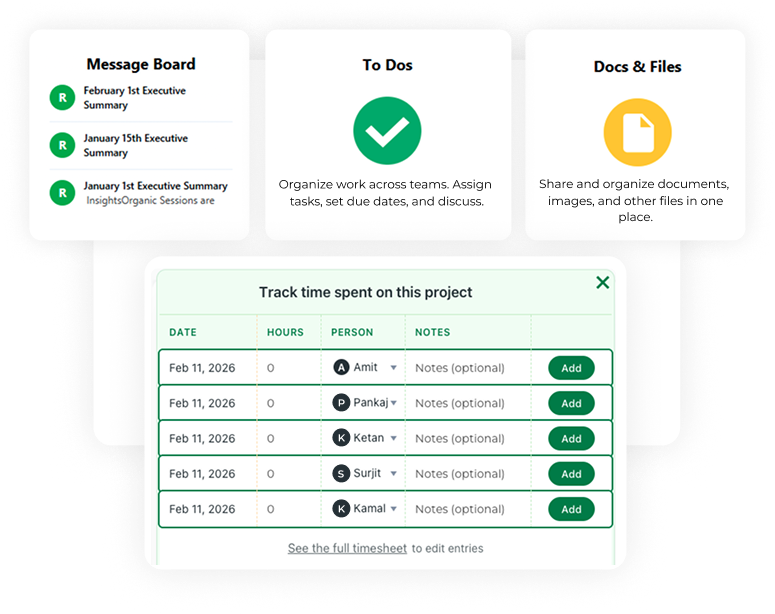

Centralize People, Tasks, and Campaign Workflows
Agency Dashboard gives agencies one structured workspace to manage clients, users, and internal teams. With one of the top project management software, Agencies use one system instead of many tools when work starts moving faster.

Maintain Full Visibility Across Campaign Activity
Every campaign action is tracked in real time. Agencies clearly see what they have completed, what they are working on, and what remains pending across to-dos, scheduled posts, SEO, and technical tasks.

Organize Work with Calendar-Based Planning
Agency Dashboard helps agencies plan smarter using calendar views organized by days or months. Activities, tasks, and schedules are easy to visualize, making workload distribution clearer and deadlines easier to manage.

Explain Progress Clearly with Client-Ready Reporting
Clients need transparency, not complexity. Agency Dashboard turns campaign activity into clear summaries, tables, and progress views that clients understand instantly.
Manage People, Clients, and Campaign Access
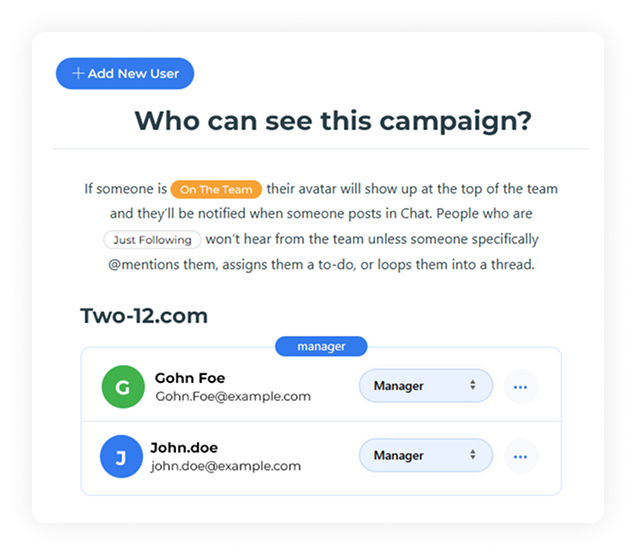
Agency Dashboard is the advertising agency project management software that helps agencies set up people effortlessly. Teams add clients and internal users to campaigns. They upload images and enter basic details like name, email, password, and access type. The system instantly handles campaign selection and sends invitations.
This approach supports structured software project management, ensuring the right people access the right data at the right time.
Agencies managing growth-oriented clients benefit from enterprise project management software features without enterprise-level complexity.
Centralized Communication with Message Boards
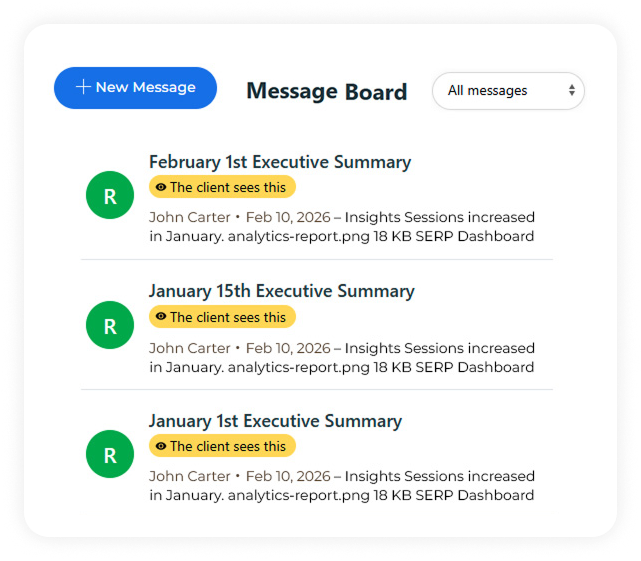
Clear communication drives successful delivery and ensures proper tasks assignments. The built-in message board keeps all campaign discussions organized in one place. Teams and clients collaborate without email clutter and keep all context in one place.
This communication layer supports efficient software management project execution while reinforcing transparency. As part of the best software for project management, message boards strengthen collaboration across departments, agencies, and clients alike.
Structured Task and To-Do Management
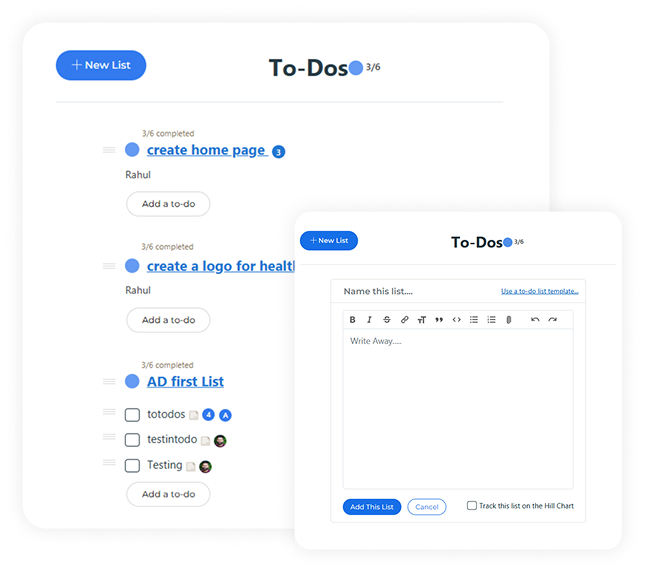
Agencies manage complex checklists across SEO, content, development, and marketing. Agency Dashboard enables teams to create, assign, track, and update to-dos across campaigns.
From daily tasks to long-term milestones, this system supports software development project management while remaining intuitive for non-technical users. It functions as project management tools and software that scale from small teams to multi-client agencies with ease.
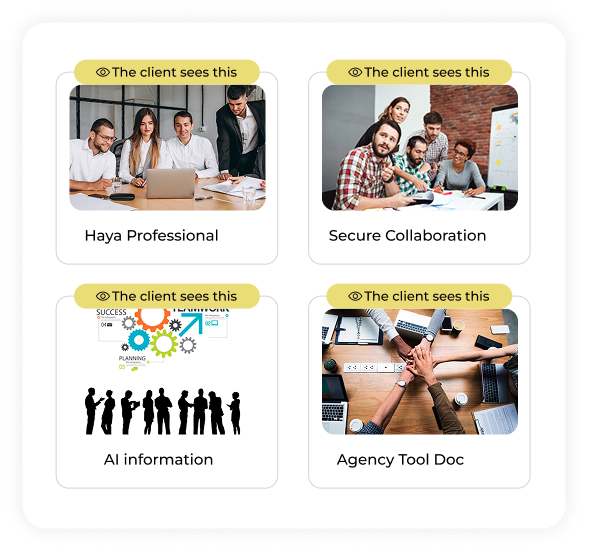
Document and File Management in One Place
Agencies upload, organize, and access documents and files directly inside campaigns. Contracts, reports, creatives, and briefs stay connected to relevant activities. This allows to make data driven decisions.
This feature supports secure collaboration found in online project management softwares, removing dependency on third-party storage tools. As one of the most popular project management software capabilities, centralized file access saves time and reduces errors.
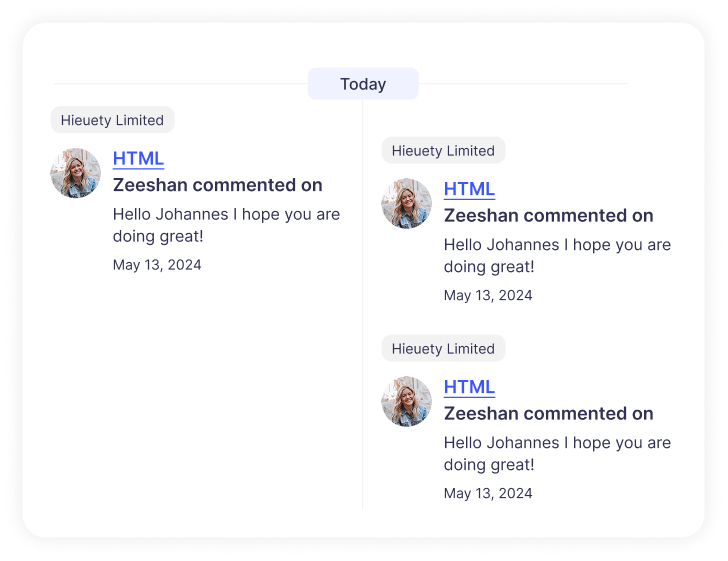
Full Visibility into Project and Campaign Activity
Agency Dashboard provides a complete activity timeline showing progress, allocating resources, hours spent, notes, and status updates. Teams track what they did, when they did it, and who did it.
This structured activity flow mirrors software project management software standards, helping agencies maintain accountability. For agencies asking what is the best project management software for visibility and project statuses remain critical decision factors.
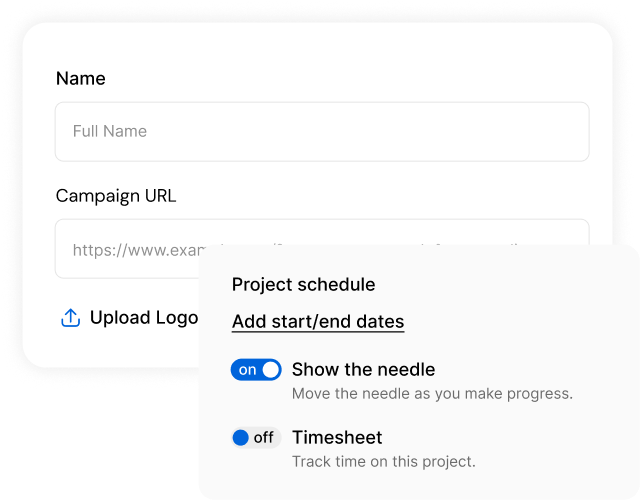
Campaign Settings and White Label Control
Campaign settings allow agencies to manage brand logo, client name, campaign URL, domain structure, start date, project scheduling and location. White-label options include agency logo, name, owner details, phone, and email.
This level of customization positions the platform as agency project management software built for professional client delivery. Agencies seeking creative agency project management software gain full branding control without additional tools.
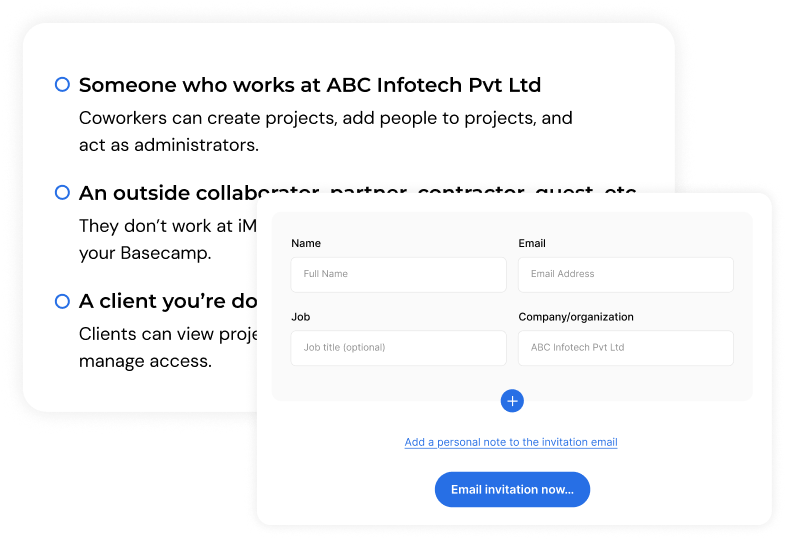
Campaign-Level Role and Access Control
Agency Dashboard allows agencies to define precise access levels for every user added to a campaign. Clients, internal team members, and collaborators receive permissions based on their role and responsibility.
This structured access control protects sensitive data while enabling smooth collaboration. Agencies maintain confidence that users only see what they need, reducing errors and improving operational security across campaigns.
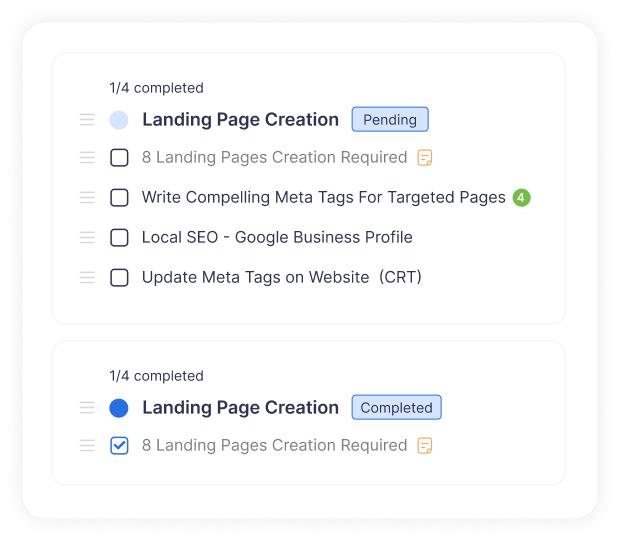
Activity Progress Monitoring With Status Indicators
Each activity includes status markers such as pending, in progress, or completed, along with progress percentages. This allows agencies to quickly assess campaign health without reviewing every task individually.
Visual progress indicators improve decision-making and help managers reallocate resources when needed. Agencies gain a real-time understanding of momentum, bottlenecks, and completion readiness across campaigns.
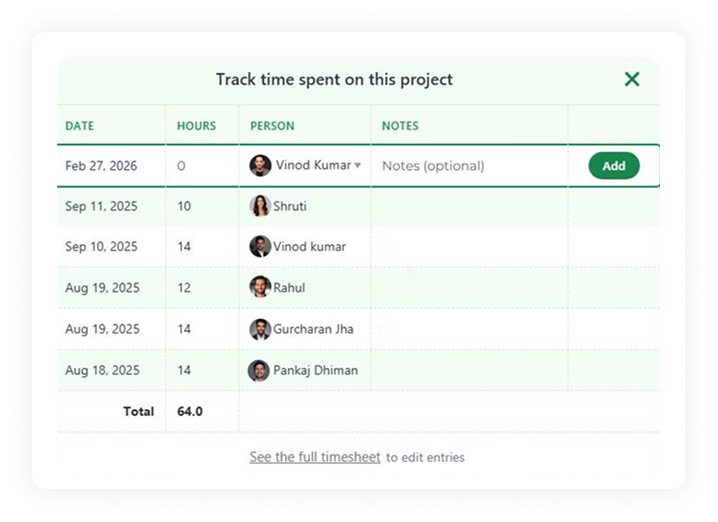
Time Tracking for Accurate Effort Measurement
Agency Dashboard enables teams to log time spent on individual activities. This data helps agencies understand effort distribution, workload balance, and service utilization across clients.
Accurate time tracking supports internal planning and strengthens client transparency. Agencies use time insights to refine pricing models, improve forecasting, and ensure sustainable team performance.
White Label Reporting Tool Trusted by 1000+ Digital Marketers
Start Your Free Trial Today!We Offer What Your Agency Needs

Time Tracking & Reporting
Track project time with dates, hours, people, and notes. View timesheets across projects and export CSV reports for accurate billing, planning, and performance visibility insights.

Improved Team Accountability
Clear task ownership and activity tracking reflect modern performance management systems, improving productivity and transparency.

Team Setup & Organization
Set up people easily by organizing team members, roles, and responsibilities. Maintain a clear directory that supports collaboration, accountability, and efficient resource allocation across projects.

Message Board Communication
Use the message board to post announcements, share ideas, and gather feedback. Keep conversations organized, searchable, and focused so teams stay aligned and informed daily.

Structured To-Do Management
Manage to dos with structured task lists that capture priorities, updates, and ownership. Encourage transparency while helping teams track progress and complete work on schedule.

CSV Data Portability
Download CSV exports to analyze project data, support reporting, and improve decision making. Portable records enable audits, insights, and flexible integration with other tools easily.
More Integrations for Agency Dashboard






Sign Up for Free
Start your effortless marketing journey with Agency
Dashboard with a 14-day free trial today!
Frequently Asked Questions (FAQs)
Project management software helps agencies plan, execute, and track work. Agency Dashboard combines tasks, people, documents, and activities into a single software project management system.
Absolutely. The system is lightweight and easy to set up, making it ideal for small teams while still supporting structured collaboration as teams grow.
Yes. Built-in message boards, shared to-dos, and centralized docs help teams post updates, gather feedback, and stay aligned without scattered conversations.
Yes. You can track hours by date, person, and notes, view full timesheets, and download CSV files for reporting, billing, and analysis.
Yes. A centralized Docs & Files area lets teams store spreadsheets, images, and documents, ensuring secure sharing, easy access, and consistent version control across projects.